Apple TV guide
Apple TV speed test: how fast does your internet need to be for 4K?
What each streaming service asks for, how to test the speed on the Apple TV itself, and what to change when the picture keeps buffering.
An app for Apple TV (tvOS), free to download from the App Store on your Apple TV. There is no iPhone version.
Short answer. Apple recommends at least 25 Mbps for 4K streaming. Netflix asks for 15 Mbps for 4K, YouTube 20 Mbps, Disney+ 25 Mbps and HBO Max 50 Mbps or more. These are per stream, and they have to hold at the time you watch, not just once in the afternoon.
Test on the Apple TV, not on your phone: a phone test measures the phone's own Wi-Fi connection, in a different spot, with a different radio.
Internet speed for 4K, HDR and Dolby Vision, per service
These are the numbers each service publishes on its own help page. Nothing here is an estimate of ours; where a service gives no number, the cell says so.
| Service | HD (1080p) | 4K | Source |
|---|---|---|---|
| Apple TV app | no figure | 25 Mbps (minimum) | Apple Support |
| Netflix | 5 Mbps | 15 Mbps | Netflix Help |
| YouTube | 5 Mbps | 20 Mbps | YouTube Help |
| Disney+ | 5 Mbps | 25 Mbps | Disney+ Help |
| HBO Max | 5 Mbps (minimum) | 50+ Mbps | HBO Max Help |
| Prime Video | 5 Mbps (minimum) | no figure on this page | Prime Video Help |
Apple, Netflix, YouTube and HBO Max pages re-checked on 22 November 2026; Disney+ and Prime Video on 9 October 2026. Services change these pages, so follow the link before you upgrade a plan.
HDR and Dolby Vision: none of these pages gives a separate number for HDR10 or Dolby Vision. Plan for the 4K figure. Several screens: two TVs playing 4K at the same time share one connection, so they need roughly twice the figure. When the connection falls short, Apple devices switch to a lower quality on their own (Apple Support), which looks like a soft picture rather than a stop.
How to test internet speed on Apple TV
tvOS has no speed test of its own. Settings shows which network the Apple TV uses, but not how fast it is. To measure the connection the Apple TV actually gets, run the test on the Apple TV:
- On the Apple TV, open the App Store and search for TV Speed Test.
- Download it, open it and start a test. It takes about 20 seconds.
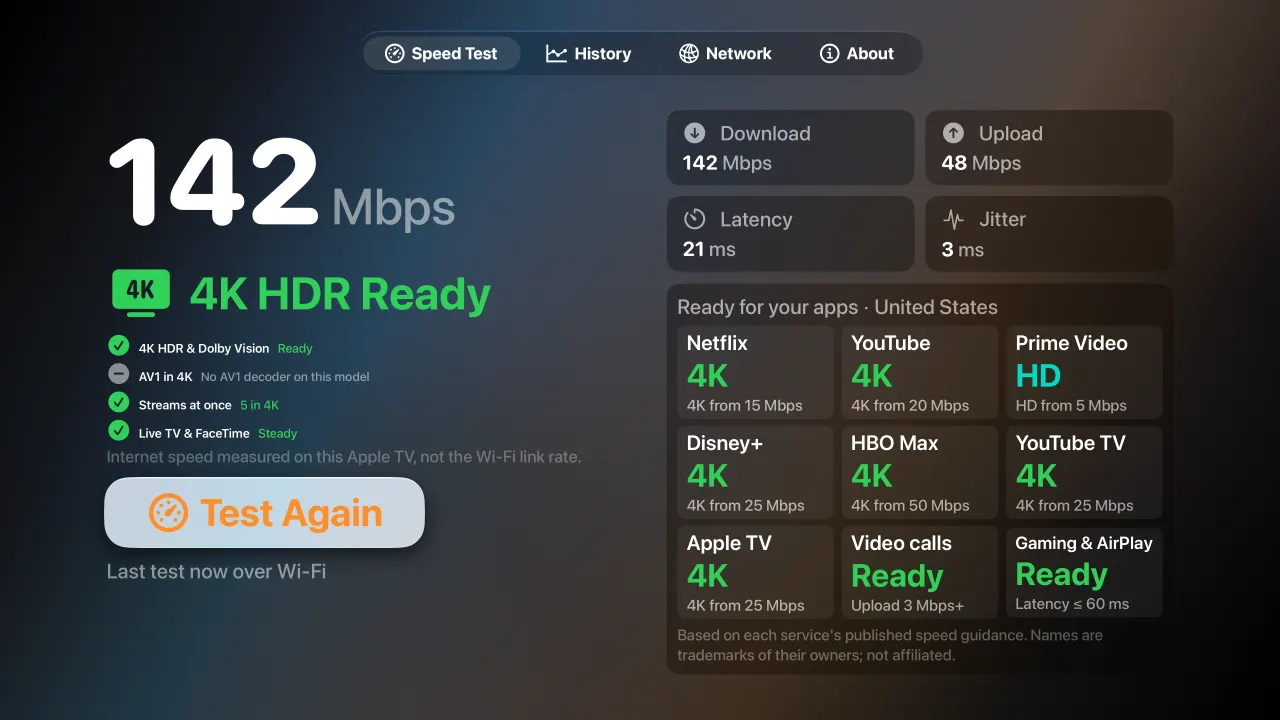
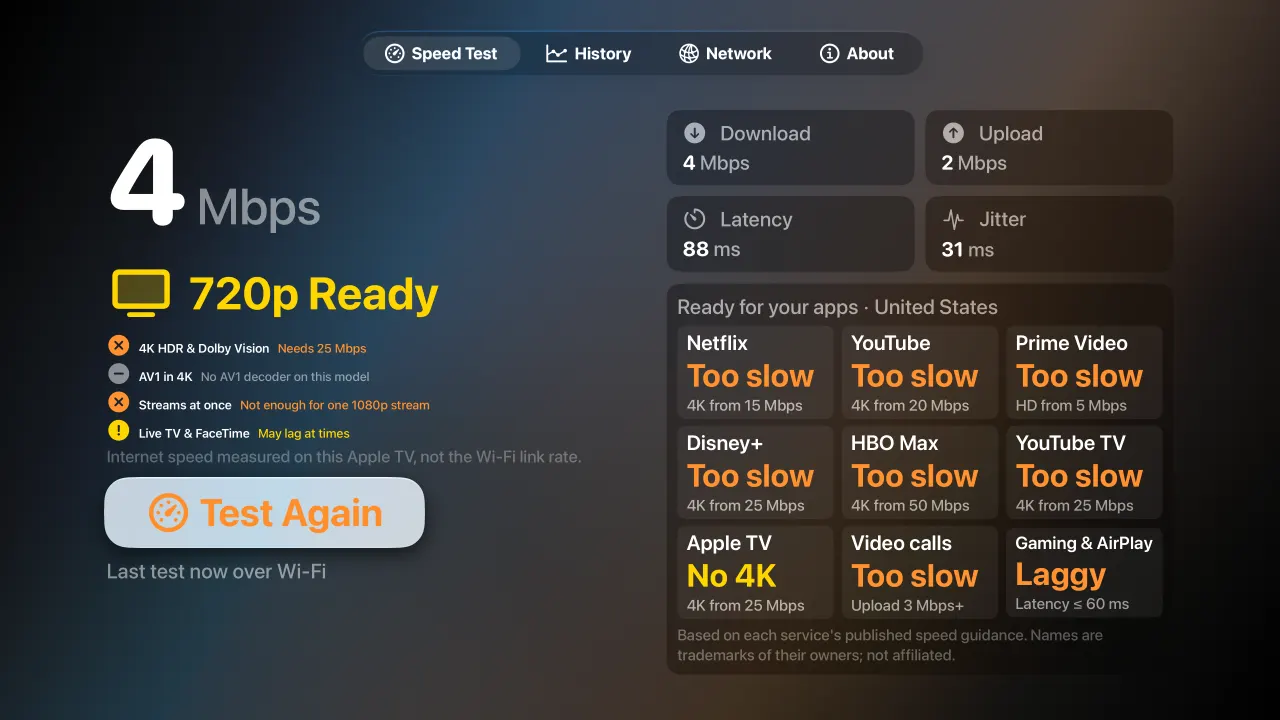
- Read the result: download, upload, latency and jitter, and next to it which of your streaming apps should play in 4K or HD on this connection.
Check the network in Settings
Go to Settings > Network. There you see whether the Apple TV is on Wi-Fi or Ethernet and which network it joined; select the current Wi-Fi network for more options. Apple describes the steps in the Apple TV 4K User Guide. If the Apple TV joined a weak 2.4 GHz network or a neighbour's extender, fix that first, then test.
When to test
- When the problem happens. If it buffers on Sunday evening, test on Sunday evening. Many home connections slow down at peak hours.
- Twice: with the house quiet, and in normal use. The difference shows how much other devices take.
- After every change: router moved, mesh node added, cable plugged in, new plan.
- Before a big live event you want to watch in 4K.
Apple TV: Ethernet vs Wi-Fi
Use a cable when
- the router is in another room or behind thick walls,
- results jump a lot between tests,
- many Wi-Fi networks around you crowd the same channels,
- you play games or use FaceTime on the TV, where latency matters.
Wi-Fi is fine when
- tests at the times you watch stay well above the 4K figure of your services,
- latency and jitter stay low and steady,
- the Apple TV is in the same room as the router or a good mesh node.
Check your model first: the Apple TV 4K (3rd generation) Wi-Fi model with 64 GB has no Ethernet port; the Wi-Fi + Ethernet model with 128 GB has one (Apple tech specs). The current Apple TV 4K lists Gigabit Ethernet (apple.com).
One more trap: the Wi-Fi link rate your router shows (for example "866 Mbps") is the speed between the Apple TV and the router, not your internet speed. Only a test that downloads from the internet tells you what streaming gets.
Apple TV 4K keeps buffering: a checklist
- Test on the Apple TV at the time it buffers. Compare download with the table above.
- Speed too low? Try a cable or move the router or a mesh node closer, then test again. If a cable gives the same low number, the limit is the internet line or the plan.
- Speed fine, still buffering? Look at latency and jitter. Big swings point to Wi-Fi trouble or a busy line.
- VPN or custom DNS on the router? A VPN adds a detour; turn it off and test again.
- Only one app buffers? Then the problem may be on that service's side; other apps playing fine is a good hint.
- Restart the Apple TV (Settings > System > Restart) and the router, then test once more.
How TV Speed Test helps
TV Speed Test & Network Info is an Apple TV app made by one independent developer. It measures the connection the Apple TV itself uses, over its own Wi-Fi or Ethernet link.
Free
- Download, upload, latency and jitter in about 20 seconds
- Which streaming apps in your country should play in 4K or HD, checked against each service's published speed
- Whether this Apple TV decodes AV1 in 4K, and how many 4K streams the connection carries
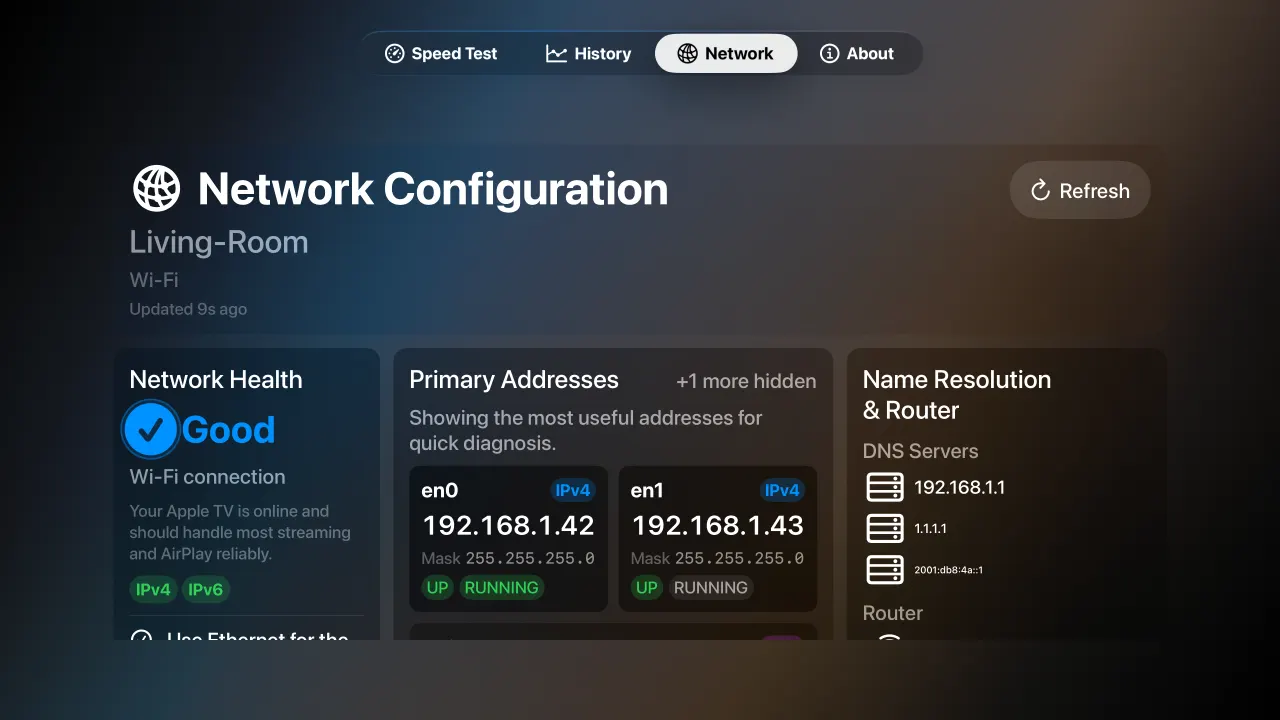
- Network info for this Apple TV: interfaces, its local IPv4 and IPv6 addresses, the DNS servers it is set to use, likely router address
Pro (one-time purchase, no subscription)
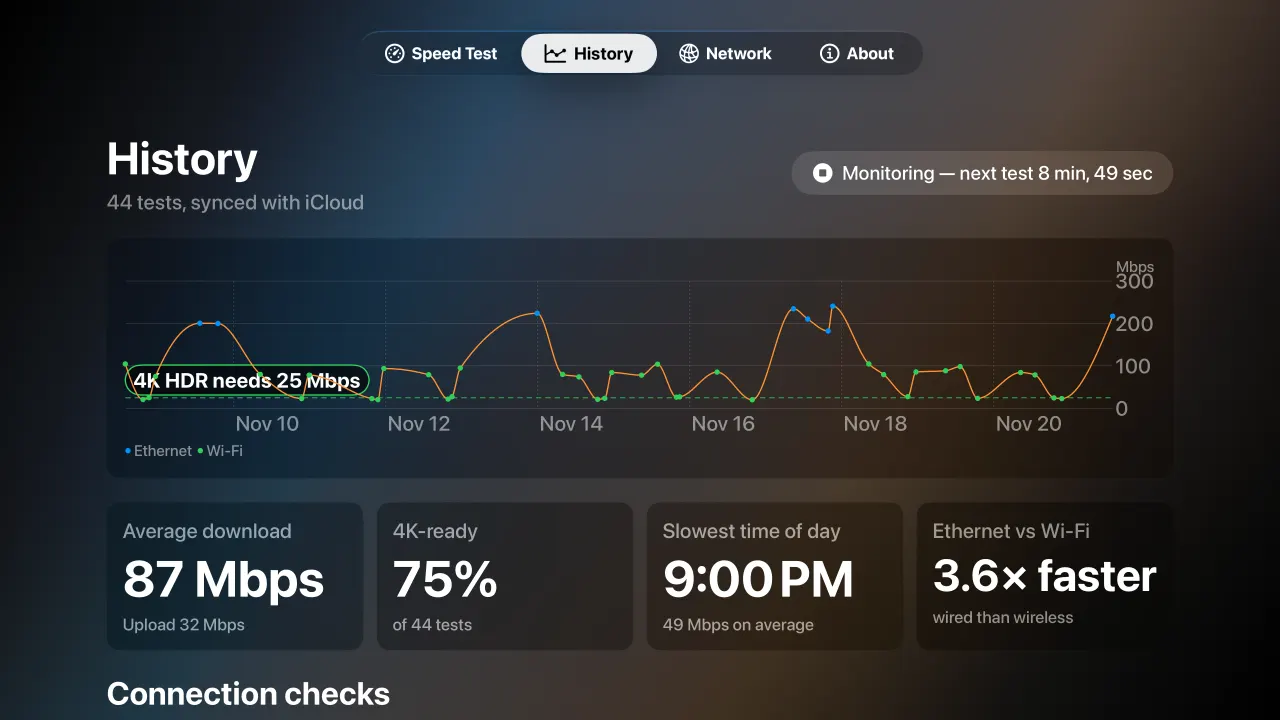
- History of every test, synced across your Apple TVs with iCloud
- The time of day your internet slows down
- Wi-Fi vs Ethernet: how much faster the cable is
- Monitor mode: a test every 10 minutes while the app is open
- Connection check, as the internet sees you: public IP and provider, the DNS resolver actually answering, whether a VPN is in use, and whether IPv6 works
The app needs no account and has no ads or analytics.
Apple TV and App Store are trademarks of Apple Inc. Streaming service names are trademarks of their owners. TV Speed Test is an independent app and is not affiliated with Apple or with these services.
Apple TV apps install from the TV. On your Apple TV, open the App Store and search for TV Speed Test. You can also open the App Store page here and get it on an Apple TV signed in to the same Apple Account.
Requires an Apple TV. There is no iPhone version.
Questions
What internet speed does Apple TV 4K need?
Apple recommends a minimum of 25 Mbps for 4K streaming. Netflix asks for 15 Mbps, YouTube 20 Mbps, Disney+ 25 Mbps and HBO Max 50 Mbps or more for 4K. Each figure is for one stream.
Does Apple TV have a built-in speed test?
No. Settings > Network shows which network the Apple TV is on, but it does not measure internet speed. You need a speed test app that runs on the Apple TV, such as TV Speed Test.
Is Ethernet better than Wi-Fi for Apple TV?
A cable avoids walls, distance and interference from neighbouring networks, so it is usually steadier. If Wi-Fi already gives you well above the speed your service asks for at the times you watch, a cable will not make the picture better. The 64 GB Apple TV 4K (3rd generation) Wi-Fi model has no Ethernet port.
Why does my Apple TV buffer when my speed test is fast?
A phone or laptop test measures that device, not the Apple TV. Test on the Apple TV itself, at the time the buffering happens, and look at latency and jitter as well as download speed.